Enlarger

RAW processing and photo management for Mac

Finish your photos right here on your Mac.

From RAW processing to AI denoise, culling and export. Enlarger processes every photo on your Mac and never sends your photos anywhere.

Coming to the Mac App Store macOS 14 or later
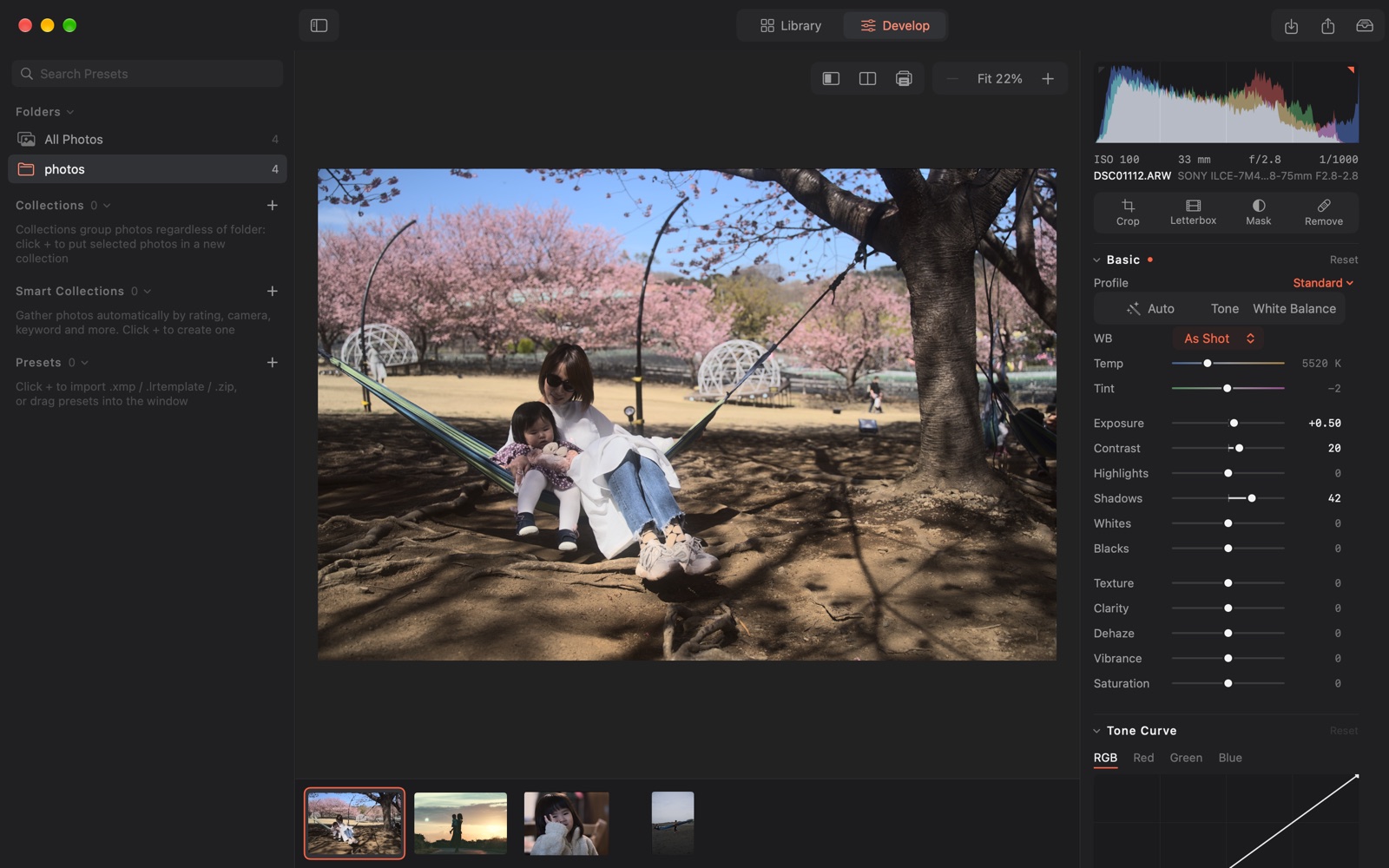
The Enlarger Develop view, with Basic sliders on the right and the filmstrip below.

Your photos stay on your Mac

AI Denoise and Super Resolution run on this Mac too. No account, no usage analytics, no ads.

Originals are never rewritten

Edits are recorded in the library and your original files stay as they are. When you import a folder, photos stay where they already are.

Bring your presets with you

Import Lightroom .xmp / .lrtemplate presets and .cube LUTs. Results are close approximations, not always identical.

Features

Develop and masking

From exposure and tone curve to HSL, color grading and calibration, all computed in a wide 16-bit color space. Besides linear, radial and brush masks, you can select Subject, People, Sky and Background automatically, and pick parts of a person such as skin, eyes and hair.
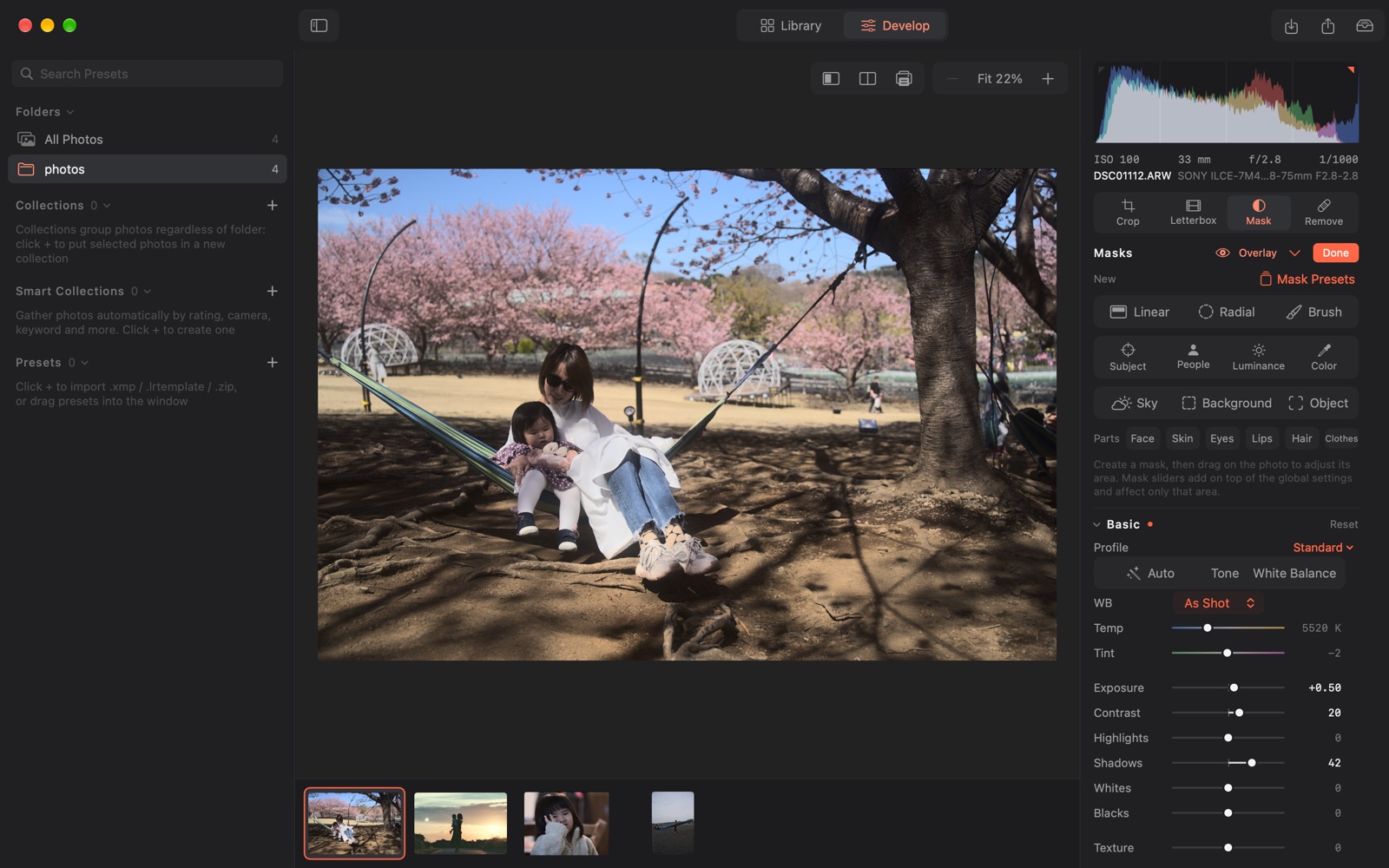
The Masking panel: linear, radial and brush masks, plus automatic Subject, People, Sky and Background.

AI Denoise and Super Resolution

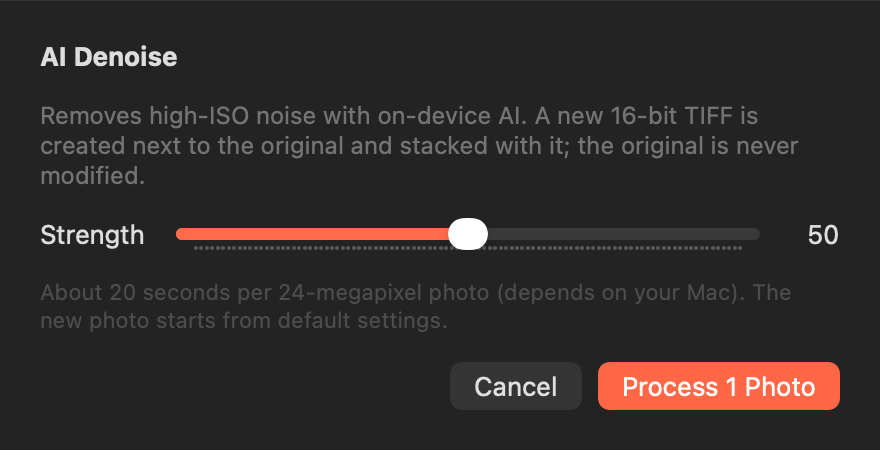
Remove high-ISO noise with AI, or enlarge a photo to twice its width and height with Super Resolution. Both create a new 16-bit TIFF next to the original and stack it with the original. The original is left untouched.

The AI Denoise dialog with a strength slider.

Cull and organize

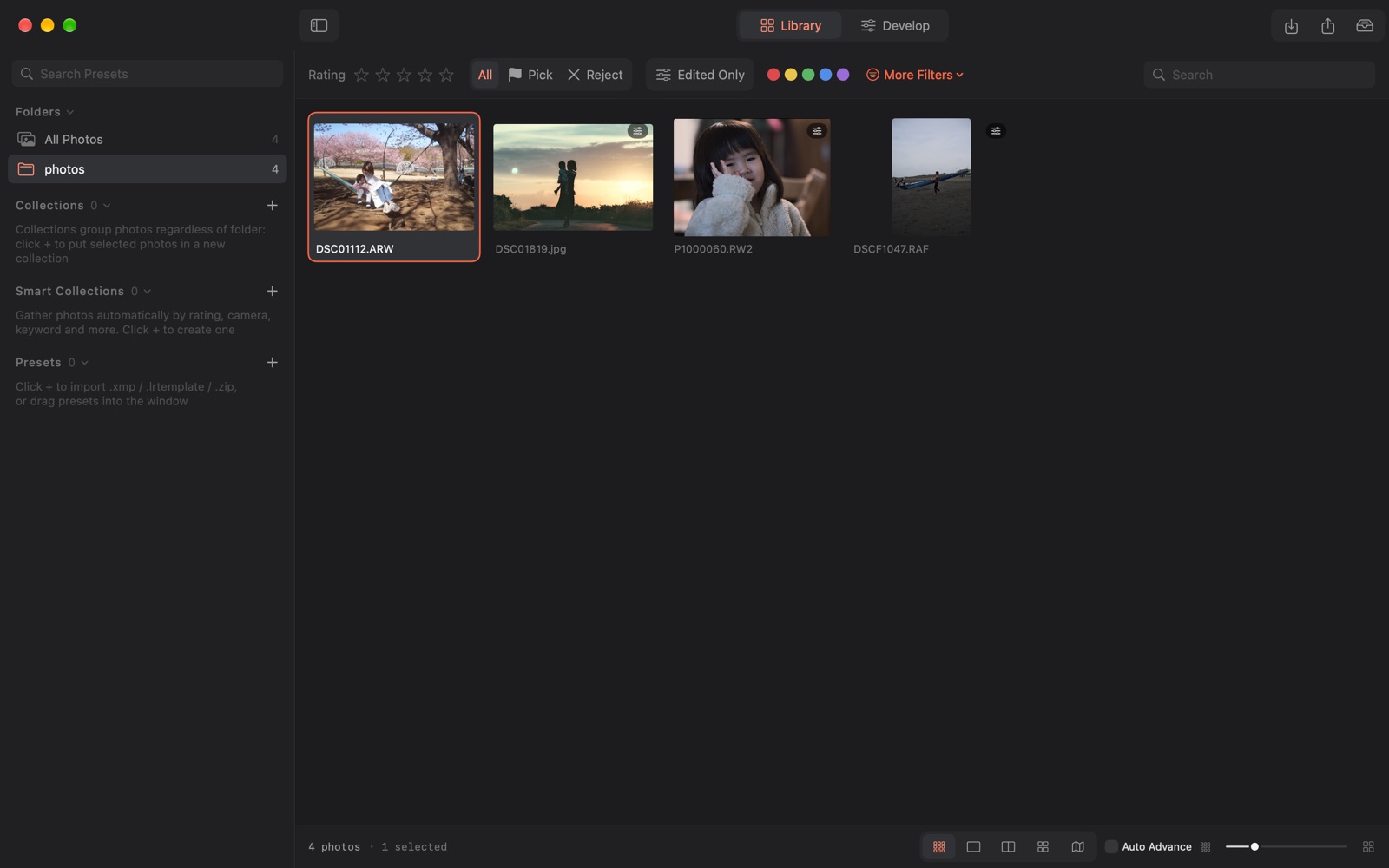
Pick with ratings, flags, color labels and keywords, then organize with smart collections that gather photos by rule and stacks grouped by capture time. Loupe, compare and survey views are built in, plus a map that shows where photos were taken.

The Library view, filtered by rating, flag and color label.

Soft proofing and export

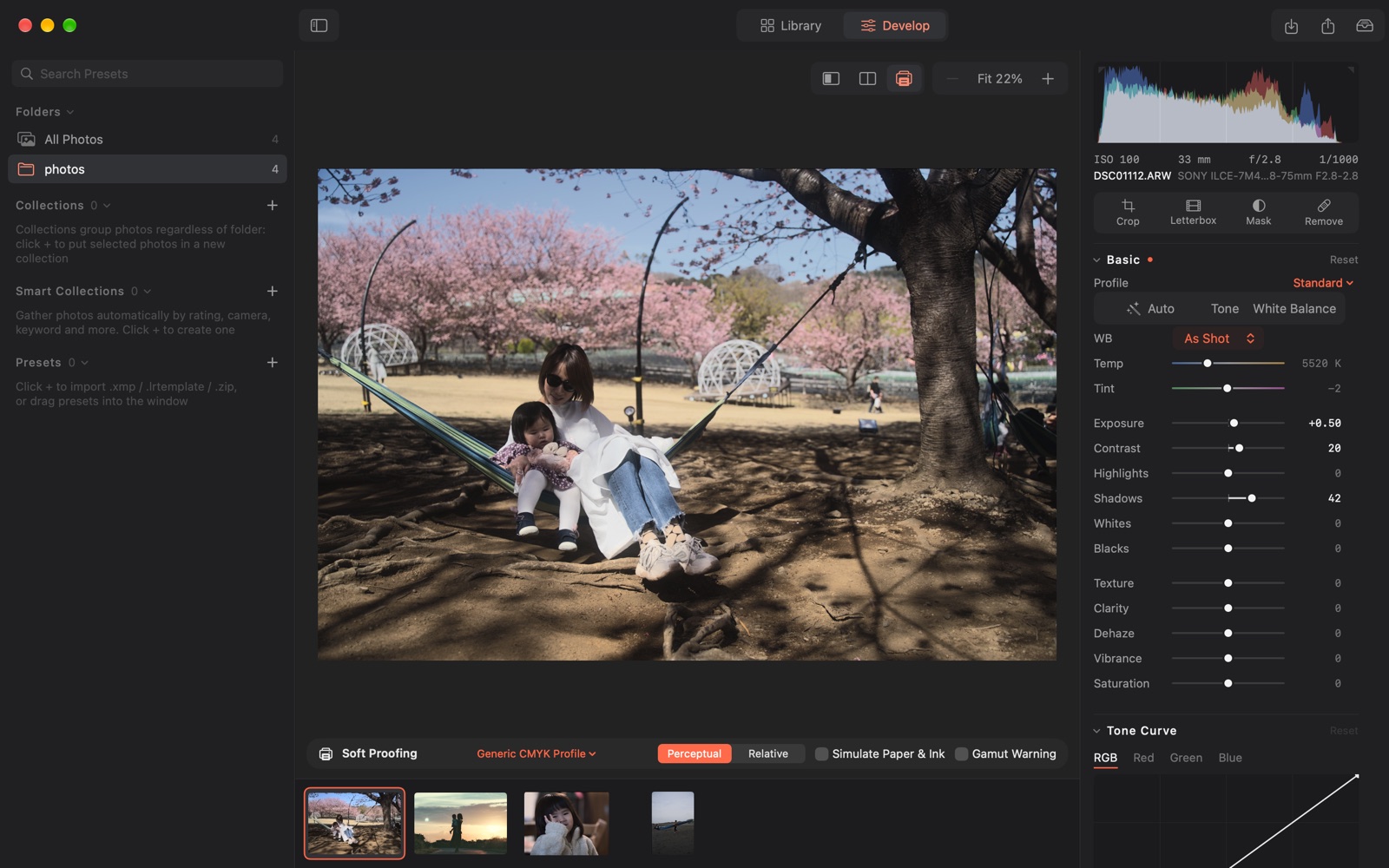
Preview how a print will look with an ICC profile (soft proofing) and highlight out-of-gamut colors. Export to JPEG, HEIC, PNG or 16-bit TIFF in sRGB, Display P3, Adobe RGB, ProPhoto RGB or an ICC profile, with an optional logo watermark.

Soft proofing, with the ICC profile and intent chosen in the bar below.
  • Import from Card

    Copies photos from a memory card to your disk and imports them, with folders by capture date and optional renaming. Already-imported photos are skipped, and you can copy to a second disk at the same time. Files on the card are only read.

  • Folder sync

    New photos added to an imported folder join the library automatically. Photos that go missing are removed only after you confirm.

  • Copy and sync settings

    Presets can be imported straight from a .zip. Copy, paste or sync settings to apply the same look to many photos at once.

  • Titles and copyright

    Embed title, caption, creator and copyright in exported photos. They can be written to XMP sidecars too.

  • Catalog backup

    The library is backed up automatically at the interval you choose, and can be restored from a backup. Original photos are not included in the backup.

  • Fast from the keyboard

    Ratings, flags, switching to Develop and other common actions have shortcuts. Press ⌘/ any time to see them all.

Specifications

Requires
macOS 14 or later
Opens
RAW files from Sony, Panasonic, Fujifilm, Nikon, Canon and others, plus DNG, JPEG, HEIC, TIFF and PNG (some RAW files may not open depending on the camera)
Exports
JPEG / HEIC / PNG / 16-bit TIFF
Color pipeline
Computed in 16-bit linear Rec.2020, displayed in Display P3
Languages
日本語 / English / 简体中文
Data
Library and previews are stored on this Mac. No account needed

Pricing

Monthly

$7.99

Renews monthly

Yearly

$59.99

Renews yearly

Includes a 7-day free trial

One-time purchase

$99.00

Pay once, no renewal

There are no free features. Buy a plan or start the yearly plan's free trial to use it.

Prices shown are for the US App Store. Check the App Store for prices in your region and whether the free trial is available to you.

Cancel subscriptions any time under Manage Subscriptions in the App Store.

FAQ

Are my photos sent anywhere?

No. RAW processing, AI Denoise, Super Resolution and automatic mask selection all run on this Mac. There is no account and no usage analytics.

Does it change my original photos?

No. Edits are recorded in the library and your original files stay unchanged. Enlarger writes into your photo folders only when you ask it to, for example when you export, save XMP sidecars, create a new TIFF with AI Denoise or Super Resolution, or copy from a card.

Can I use my Lightroom presets?

You can import .xmp / .lrtemplate presets (also inside a .zip) and .cube LUTs, and Enlarger reads settings from XMP sidecars written by Lightroom. Because the processing engines differ, results are close approximations and will not match Lightroom exactly.

Do I need an internet connection?

Not for importing, editing or exporting. The map view uses the connection to request map images for the area being shown from Apple's map service, so Apple learns which area is displayed, often near where the photos were taken. Your photo files and library contents are not sent. Purchases and subscriptions also need a connection, since they go through the App Store.

Can I try it for free?

Only the yearly plan includes a 7-day free trial (availability depends on App Store eligibility). Unless you cancel at least 24 hours before the trial ends, it converts to the paid yearly plan. The monthly plan and the one-time purchase have no free trial. There are no free features, so you need to buy a plan or start the trial to use it.

See all questions on the Support page →